News Vulnerabilities & Zero-Days
Office 2021, Windows 11 24H2 Home and Pro and Server 2012 ESUs reach end of support
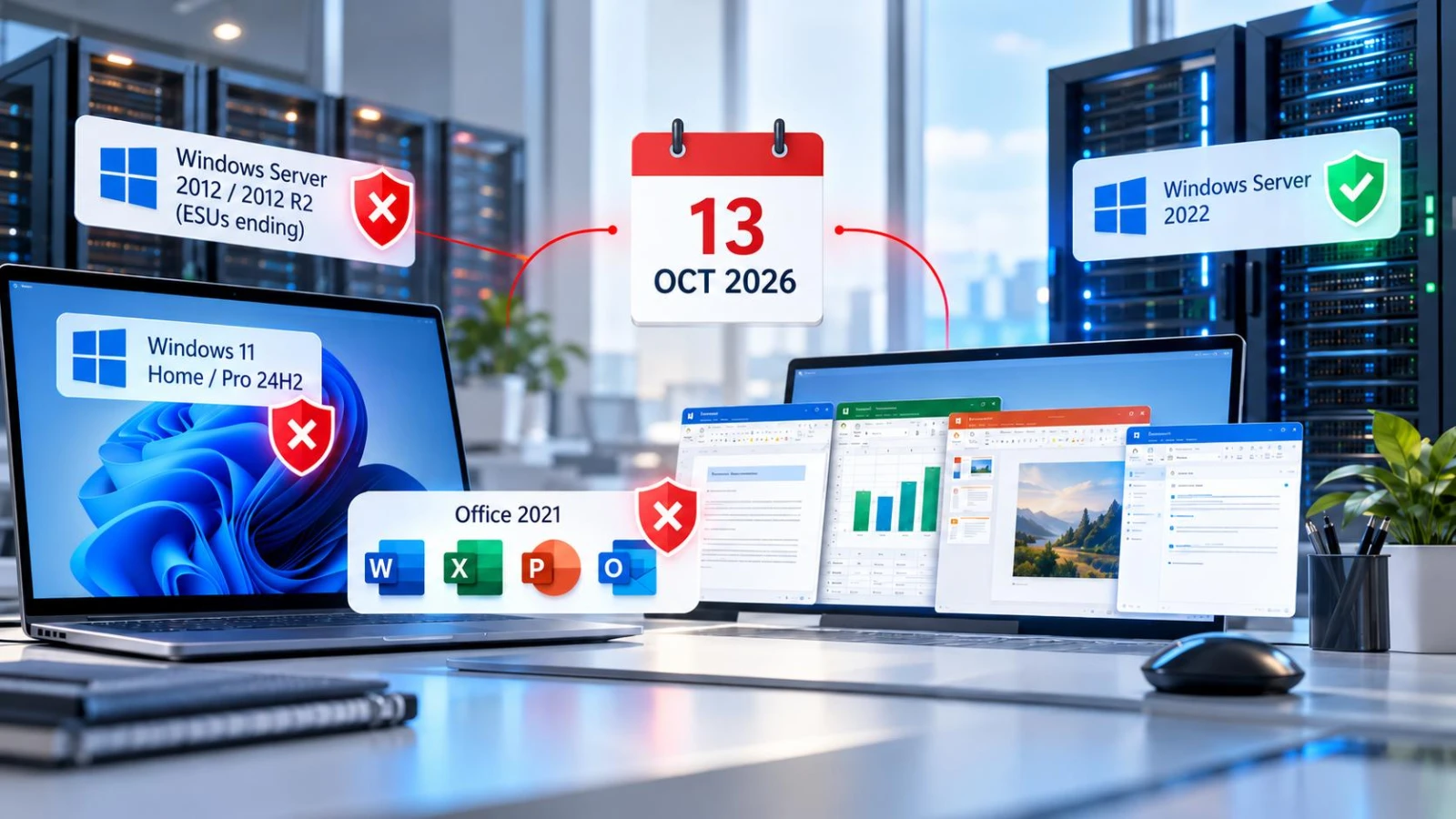
From 13 October 2026, Microsoft stops new security updates for Office 2021, Office LTSC 2021, Windows 11 Home and Pro version 24H2, and Year 3 of Extended Security Updates for Windows Server 2012 and 2012 R2.
Key takeaways
- Office 2021 and Office LTSC 2021 stop receiving security updates after 13 October 2026.
- Windows 11 Home and Pro version 24H2 reaches end of servicing on the same day.
- Year 3 of Extended Security Updates for Windows Server 2012 and 2012 R2 ends.
- Windows Server 2022 moves to extended support and still gets free security updates.
- Systems left on these products will not get fixes for newly found vulnerabilities.
Several widely used Microsoft products reach the end of their support lifecycle on 13 October 2026, according to Microsoft's lifecycle documentation. After that date, Microsoft says, they receive no new security updates, non-security updates, free or paid assisted support, or online technical content updates.
Which products are affected? #
| Product | What ends on 13 October 2026 |
|---|---|
| Office 2021, and Access, Excel, OneNote, Outlook, PowerPoint, Project, Publisher, Visio and Word 2021 | Retirement (Modern Policy) |
| Office LTSC 2021 and its LTSC 2021 apps, including Skype for Business LTSC 2021 | End of support (Fixed Policy) |
| Windows 11 Home and Pro, version 24H2 | End of servicing |
| Windows Server 2012 and 2012 R2, Extended Security Update Year 3 | End of support |
| Windows 10 2016 LTSB and Windows 10 IoT Enterprise LTSB 2016 | End of support |
| Dynamics 365 Business Central on-premises, 2025 release wave 1 (version 26.x) | End of servicing |
What changes for Windows Server 2022? #
Windows Server 2022 moves from mainstream to extended support on the same day. Microsoft says extended support still includes security updates at no cost, but non-security updates and support become paid, and it will not take requests for new features or design changes.
Why does this matter for security teams? #
Any vulnerability found in these products after 13 October 2026 will not get a fix through the normal support channel. Systems still running them will stay exposed to every flaw disclosed from then on.
What should organisations do now? #
- Inventory devices running Office 2021, Office LTSC 2021, Windows 11 Home or Pro 24H2, Windows Server 2012 or 2012 R2, and Windows 10 2016 LTSB.
- Move Windows 11 Home and Pro devices to a later supported version of Windows 11.
- Plan upgrades or replacements for the other products, and isolate any system that must keep running until then.
- Check each product's lifecycle page for its exact dates and options, using Microsoft's lifecycle search.
Sources
- Microsoft's list of products ending support in 2026, Microsoft Learn
- Windows 11 Home and Pro lifecycle page, Microsoft Learn
- Office 2021 lifecycle page, Microsoft Learn
- Windows Server 2012 R2 lifecycle page, Microsoft Learn
Questions this raises
- Will Office 2021 stop working after 13 October 2026?
- Microsoft's lifecycle page describes the end of updates and support, not the software stopping. It will no longer receive security updates, which leaves it exposed to new flaws.
- Is Windows Server 2022 losing security updates?
- No. It moves to extended support on 13 October 2026, which Microsoft says still includes security updates at no cost.
- What should I do with Windows 11 Home or Pro 24H2?
- Update to a later supported version of Windows 11. Version 24H2 reaches end of servicing on 13 October 2026.
Security UpdateVulnerabilityMicrosoftEnd of SupportPatch Management